Connecting to a network
To use streaming services, internet radio, software updates and other network functions, the sonoro AMPLIFIER must be connected to a network.
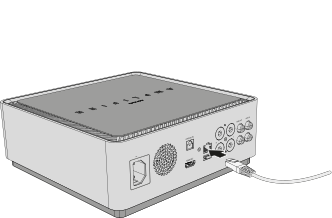
1. Connect the sonoro AMPLIFIER
Connect a network cable to the LAN port of the sonoro AMPLIFIER.
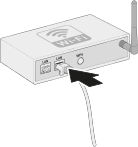
2. Connect the router
Connect the other end of the network cable to a free LAN port on your router or network switch. The network connection is then established automatically.
Use Wi-Fi instead of LAN?
Alternatively, the sonoro AMPLIFIER can be connected to your network wirelessly via Wi-Fi. Set up the network connection using the network settings.
→ See chapter: Network settings
ℹ A wired LAN connection is required to use sonoro Multiroom. This function is not supported over Wi-Fi.
ℹ For a stable Wi-Fi connection, place the device within range of your router wherever possible. Metal surfaces, reinforced concrete walls or other radio sources can affect signal quality.
ℹ Wi-Fi repeaters or mesh systems may occasionally cause connection problems. Ensure your network is set up correctly.
ℹ Network settings can be adjusted at any time via the device menu.