Initial setup
When first switched on, the sonoro AMPLIFIER automatically starts initial setup. Follow the instructions on the display to set up the device step by step.
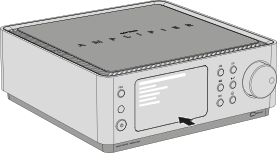
Setup steps
- Select a language
- Accept the privacy policy Information about data protection is available at: sonoro.com/datenschutzerklaerung-app
- Connecting to a network → Further information can be found in the chapter Network settings.
- Check for software updates
Set the device name
To ensure clear identification in CI mode and in the sonoro App, Connect service and smart home systems, we recommend assigning an individual device name.
To do this, open:
Settings → Device info → Device name
Enter the desired name (e.g. Living room or sonoro AMPLIFIER) and confirm by selecting Done.
→ Further information can be found in the chapter Device info.
ℹ Network connections can be adjusted at any time later under Settings → Network settings.
ℹ An active network connection is required to use streaming services, internet radio and multiroom functions.
ℹ Once setup is complete, the sonoro AMPLIFIER home screen appears and the device is ready for use.