Switching on the device
Once the power supply has been connected, the sonoro STREAMER can be switched on.
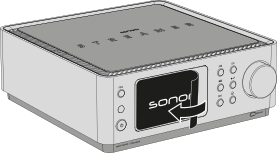
1. Removing the protective film
Carefully remove the protective film from the top of the device.
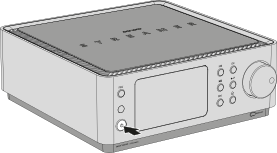
2. Switching on the device
Press the power button on the front panel to switch on the sonoro STREAMER.
ℹ After switching on, the sonoro STREAMER automatically starts the setup wizard.
ℹ The initial startup may take a few seconds. During this time, the internal systems are initialised.
ℹ If the device cannot be switched on, check the power supply and make sure that the power cable is connected correctly.