Rack mounting
The sonoro STREAMER is designed for permanent installation in a 19" rack. Follow the information below to ensure safe operation and sufficient cooling of the device.
General installation
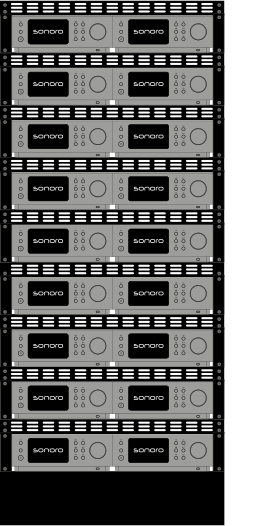
- The sonoro STREAMER is intended exclusively for permanent installation in a 19" rack.
- Installation in portable 19" racks or flight cases is not permitted.
- Each 19" rack shelf can accommodate two devices side by side.
- Use only rack shelves made of steel or aluminium that are designed for the combined weight of the devices.
- Secure the device mechanically to prevent damage caused by vibration or shocks.
- For sliding rack shelves, all cables must have strain relief and be routed so that pulling the shelf out neither strains nor damages them.
Cooling and ventilation
Sufficient air circulation must be ensured at all times for safe operation.
- The ventilation openings must never be covered.
- Where possible, use rack shelves with an open rear.
- The rack should be placed in a well-ventilated room.
- If several heat-producing devices are installed, additional active rack ventilation may be necessary.
- The ambient temperature at the installation location must not exceed +40 °C.
- Do not mount the device directly above heat sources or devices that generate considerable heat.
ℹ For rack installations, use a LAN connection wherever possible. Operating multiple devices simultaneously over Wi-Fi can cause connection problems, interference or reduced system performance.
CI mode
In CI mode, the device name is permanently shown on the display.
In standby mode, press and hold the OK button for about 5 seconds to enable CI mode.
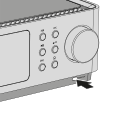
CI mode is particularly suitable for installations where the device name should remain visible on the display.