Initial setup
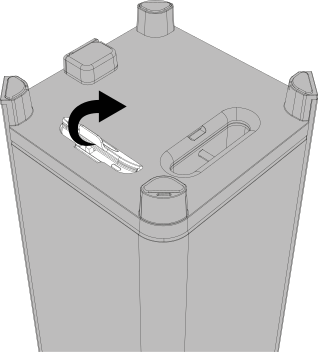
Open the rubber flap on the underside.
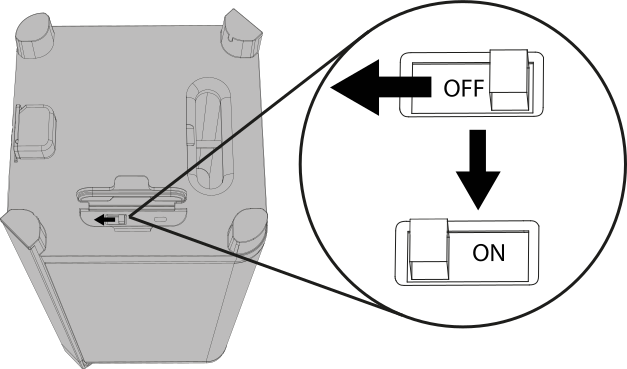
Set the toggle switch to “ON”.
Set the toggle switch to ON before first use. During normal operation, the toggle switch remains in this position.
If the sonoro VIBES XL is not used for an extended period, the toggle switch should be set to OFF to prevent deep discharge of the battery.
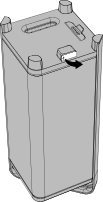
Open the rubber flap for the power supply.
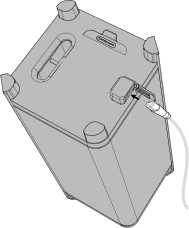
Connect the power cable to the power socket.
Note: The power cable is located in the upper cardboard insert.
Please ensure that the device is fully charged before first use.
 The status LED lights up orange. The sonoro VIBES XL battery is charging.
 If the status LED lights up green, the sonoro VIBES XL battery is fully charged.